Scam Guides India
Remote access and fake apps
A caller talks you into installing an app that lets them see everything on your phone.
How it works
Victims are lured into installing an app that can read all the data on their device. The RBI's advice is not to download any unknown app, because it may access your confidential data secretly [1].
Scam Rakshak's own guidance for seniors treats suspicious links and APK files in WhatsApp as warning signs.
Warning signs
- A caller who asks you to install an app so they can "fix" something.
- A file ending in .apk sent on WhatsApp.
- A link that tells you to download an app.
What to do
- Do not download any unknown app [1].
- Never open an .apk file that arrives in a message.
- If you already installed one, call your bank right away and tell your family.
- In India call 1930 to report it.
How Scam Rakshak helps
Scam Rakshak watches WhatsApp activity for the patterns scammers use. It does not read messages or listen to calls. Once protection is turned on, it works quietly in the background and alerts you only when it detects signs of a potential scam.
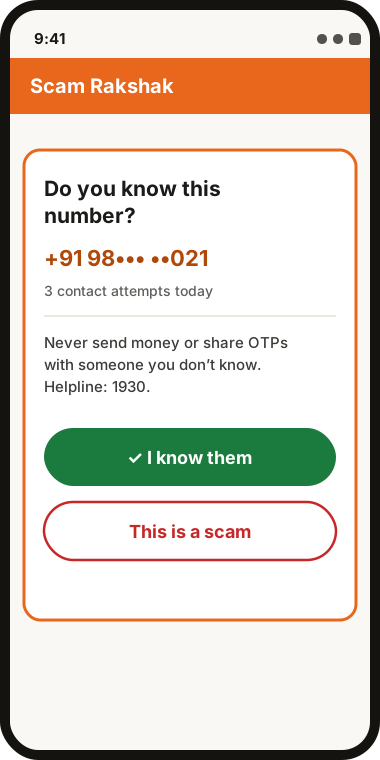
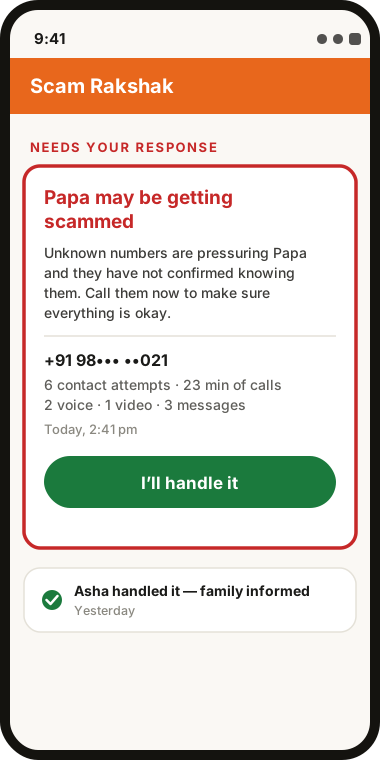
Protection for seniors is free. Scam Rakshak cannot stop every scam, so the steps above still matter.
Get it on Google Play See how it works
Sources
Cases are as reported by the outlets linked above. Amounts and details are theirs, not ours. Blu Codeworks is an independent Australian software studio. Scam Rakshak helps protect seniors by detecting signs of scams. It cannot stop every scam.